

Compact remote access, with 4G/LTE as standard. The ServiceGate Nano V3 combines industrial VPN access with datalogging and monitoring. Investigate faults remotely and collect measurement data through the same Remote solution.
The Nano V3 has two physical network ports: one LAN port and one configurable WAN/LAN port. Its metal housing and DIN-rail clip support installation in your equipment. Our team helps you set up connectivity and data collection.
Why choose the ServiceGate Nano V3?
Two network ports, flexible configuration
Use one LAN port and one configurable WAN/LAN port. How you use them and whether you need an additional switch depend on your equipment and network design.
Remote access plus datalogging and monitoring
Like all ServiceGate routers, the Nano V3 supports both. We determine which measurements you need and how to use them. An RS485 interface is available alongside Ethernet; connectivity depends on your equipment and protocol.
4G/LTE as standard
Unable or not permitted to use the customer network? With a suitable SIM card and mobile coverage, you can configure a 4G/LTE connection. Availability and performance depend on coverage, subscription and configuration.
Configured for your installation
The Nano V3 comes with a Wi-Fi antenna and DIN-rail clip. A SIM card and preconfiguration are available. We align access rights, data collection and any custom integrations with your application.
Secure access needs configuration and ongoing management
An encrypted VPN connection gives you access to the segment or machine you are authorised to use. Manage users and sites in the Remote Portal, alongside network segmentation and an appropriate firewall profile.
Machines and controllers still need security updates behind the router. Our team helps align the configuration with your customer’s or site’s requirements.

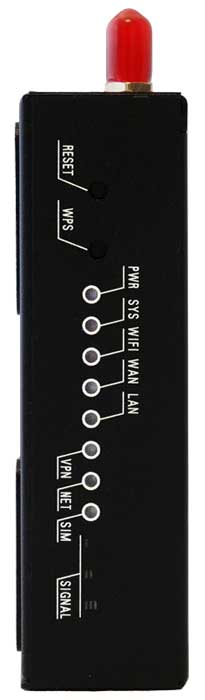
Technical specifications of the ServiceGate Nano V3
| Processor | Hillink |
| RAM | 128MB |
| Flash | 32MB |
| Ethernet | 1x WAN/LAN (configurable) |
| Ethernet (LAN) | 1x LAN |
| Wi-Fi | 2.4GHz IEEE 802.11n MIMO up to 300Mbps |
| Serial port | RS 485 |
| USB | No |
| 4G/LTE | Yes |
| Certification | CE Class A |
| Warranty | 12 months |
| Dimensions | (LxWxH) 97x112x24 mm |
| Weight | +/- 280 g |
| Mounting | DIN rail |
| Housing | Metal |
| Power consumption | 12VDC/1A |
| Operating temperature | -35 – 75°C |
| Storage temperature | -40 – 80°C |
| Ambient humidity | 5 to 95% RH non-condensing |
| Wireless standards | Wi-Fi 802.11b, Wi-Fi 802.11g, Wi-Fi 802.11n |
| Frequency range | 2.400GHz — 2.4835GHz |
| Data rates | IEEE 802.11 b Standard mode: 1, 2, 5.5, 11 Mbps |
| IEEE 802.11g Standard Mode: 6,9,12,18,24,36,48,54Mbps | |
| IEEE 802.11n : 65Mbps @ HT20 | |
| 150Mbps @ HT40 | |
| 2.4GHz IEEE 802.11n MIMO up to 300Mbps | |
| Wireless security | WPA/WPA2, WEP, TKIP and AES |
| Transmit power | 12 – 15 dBm |
From connection to useful insight
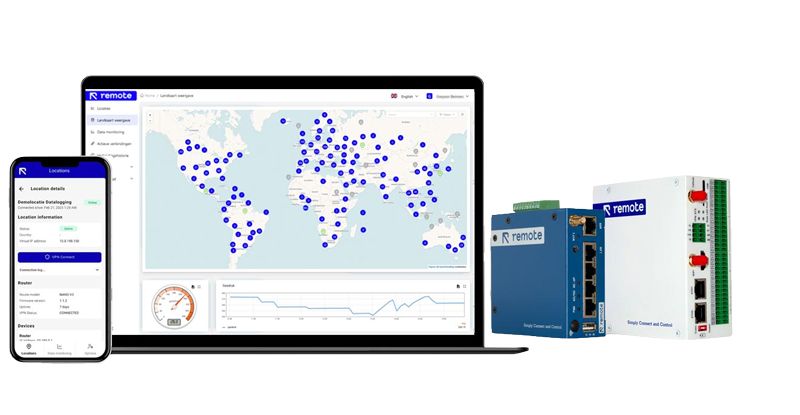
Remote Portal: manage sites, routers, users and access rights from one portal.
Datalogging and monitoring: determine which measurements to collect. Configure data acquisition, create dashboards and set up alarms and events. The options depend on the connected equipment and configuration.
Custom solutions and further analysis: our team can help with custom apps, protocol integrations and other data platforms. Reliable data can support predictive maintenance and AI, provided there is a defined application and validation.
Explore the Remote Portal · More about datalogging and monitoring

FAQ
Frequently asked questions about the ServiceGate Nano V3
Do you have a specific technical challenge?
Our team helps you work through your equipment, protocols and data requirements. Call +31 566 796 515 or email info@remoteengineer.eu.
Configure centrally through the Remote Portal
Configure the ServiceGate through the Remote Portal, not through a local router configuration page. Manage connectivity, remote access and data logging in one place. Select the protocol and the data you want to retrieve or receive; the portal sends the settings to the router. It collects the data and automatically forwards it to the configured service. Reuse settings across routers with templates, adapted to the equipment and network at each site.
