

The solution to the 2G and 3G problem
The ServiceGate Pico 4G supports remote access, datalogging and monitoring. Use your 4G connection to access your installation and to collect measurement data.
Our team tailors the data readout and configuration to your equipment and the desired measured values. Discover the possibilities of data logging and monitoring.
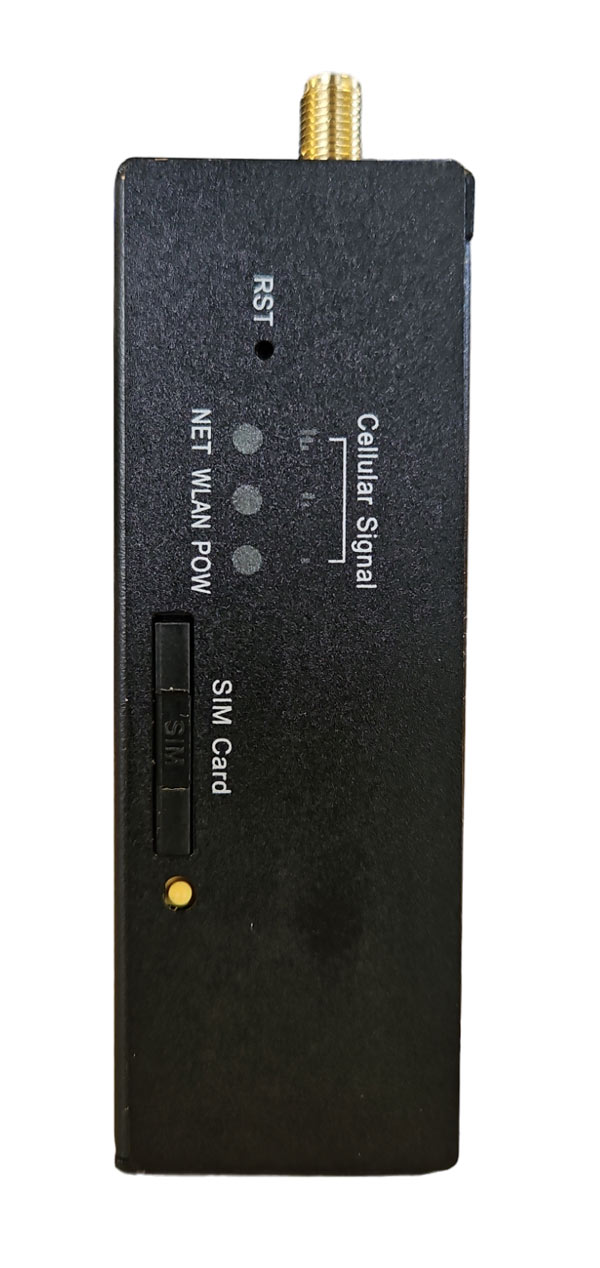
The ServiceGate Pico is our most compact router, has standard 4G/LTE, a LAN network port and is a good alternative replacement for 2G and 3G devices.
Replace your old modem in time
When installations use an automatic backup connection, a regular failover test does not always provide a full guarantee. Read the full analysis on the risks of the 2G/3G phase-out for industrial modems to prevent unexpected downtime.
Configuration
We supply the ServiceGate Pico with 4G antenna, WiFi antenna and din rail clip as standard. The router is housed in a rugged metal case. We can also deliver the ServiceGate Pico including SIM card and fully preconfigured: whatever you want or need.
For projects where you can’t or shouldn’t use the client’s wifi or wired network, this router is ideal: with your smartphone, tablet or PC, you can also always connect via 4G.
Specifications
| Processor | 32bit MIPS Dual Core Industrial Grade Processor |
| RAM | 64 MB |
| Flash | 16 MB |
| Ethernet | 1x WAN |
| Ethernet (LAN) | 1x LAN |
| Wi-Fi | 2.4GHz IEEE 802.11n MIMO up to 300Mbps |
| Serial port | RS 485 |
| USB | No |
| 4G/LTE | Yes |
| Certification | CE Class A |
| Warranty | 12 months |
| Dimensions | (LxWxH) 100x63x31mm |
| Weight | +/- 200 gr. |
| Mounting | DIN rail |
| Enclosure | Aluminum |
| Power Consumption | 18W/1A |
| Operating temperature | -35 – 75°C |
| Storage temperature | -40 – 85°C |
| Ambient humidity | up to 93% RH non-condensing |
| Wireless standards | Wi-Fi 802.11b, Wi-Fi 802.11g, Wi-Fi 802.11n |
| Frequency range | 2.400GHz — 2.4835GHz |
| Data rates | IEEE 802.11 b Standard mode: 1, 2, 5.5, 11 Mbps |
| IEEE 802.11g Standard Mode: 6,9,12,18,24,36,48,54Mbps | |
| IEEE 802.11n : 65Mbps @ HT20 | |
| 150Mbps @ HT40 | |
| 2.4GHz IEEE 802.11n MIMO up to 300Mbps | |
| Wireless security | WPA/WPA2, WEP, TKIP and AES |
| Transmit power | 12 – 15 dBm |

Configure centrally through the Remote Portal
Configure the ServiceGate through the Remote Portal, not through a local router configuration page. Manage connectivity, remote access and data logging in one place. Select the protocol and the data you want to retrieve or receive; the portal sends the settings to the router. It collects the data and automatically forwards it to the configured service. Reuse settings across routers with templates, adapted to the equipment and network at each site.
