
Remote access · datalogging · monitoring
Remote energy management.
Insight and control.
Manage and monitor your energy systems as if you were right there.
Make control systems accessible for service and diagnostics. Collect measurements, track performance and receive alerts when values deviate. Our routers/controllers, web portal, IIoT platform and app bring access and insight together.

From installation to insight.
Connectivity, measurements and access rights configured for your site.
Accessible control systems
Service and diagnostics without unnecessary travel.
Useful measurement data
See consumption, performance and trends.
Access rights in place
Access per user, installation and site.
Access and overview
What do you want to do remotely?
You do not have to choose between accessing an installation and tracking its data. All ServiceGate routers support remote access and datalogging/monitoring. The measurements you can read depend on your equipment and configuration.

From measurements to overview
See what your installation is doing.
And when something changes.
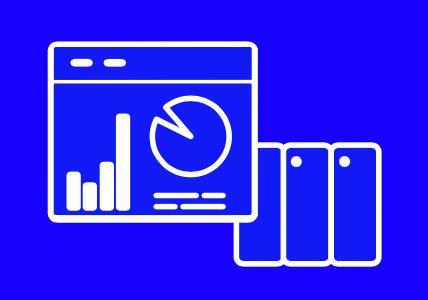
An isolated meter reading tells you little without context. In the Remote Portal, dashboards and trends make available data useful. See what is happening at a site and use it as an informed starting point for maintenance and improvements.
- Consumption and generation: track the values made available by your meters and installations.
- Status and trends: view events and measurements side by side.
- Sites and users: bring your overview and access rights together in one portal.

Example view. We agree measurement points, sampling intervals, retention periods and alerts for your application.
A solution that fits
From an existing installation
to a working connection.
We start with your equipment, network and management arrangements. Our solution can work alongside your existing energy management system. A dashboard is not automatically an energy control system: the desired control behaviour requires a suitable integration and clear agreements.
Security by design
Access to your installation.
No more than necessary.
A ServiceGate provides access to a dedicated segment in the OT environment. Users can access only the segment or control system for which they have permission. We configure the network and firewall profile according to the agreements for each customer or site.
01 — Segment the connection
Define which control systems should be remotely accessible and which should not.
02 — Set access rights and network policy
Specify user permissions, permitted connections and any internet access behind the router.
03 — Keep maintaining
Even in a separate segment, machine software and firmware still need security updates. A router does not replace a patching policy.
From question to practice
Start with one site.
Build from there.
01
Tell us what you need
Which installation do you want to access? Which values do you want to see? Share your equipment, network requirements and existing energy management system.
02
Configure the solution together
We select the hardware and define connections, measurement points, user permissions and alarms. We include any integration or custom function you need.
03
Test and expand
Check the connection and measurements in practice. Does the setup work as agreed? You can then apply the same approach at other sites.
Together with our technical team
Which installation do you want to
access or monitor?
Tell us what you want to see and do. We help you choose a suitable standard solution and develop custom solutions where needed. No-nonsense, with technical know-how since 2008.
